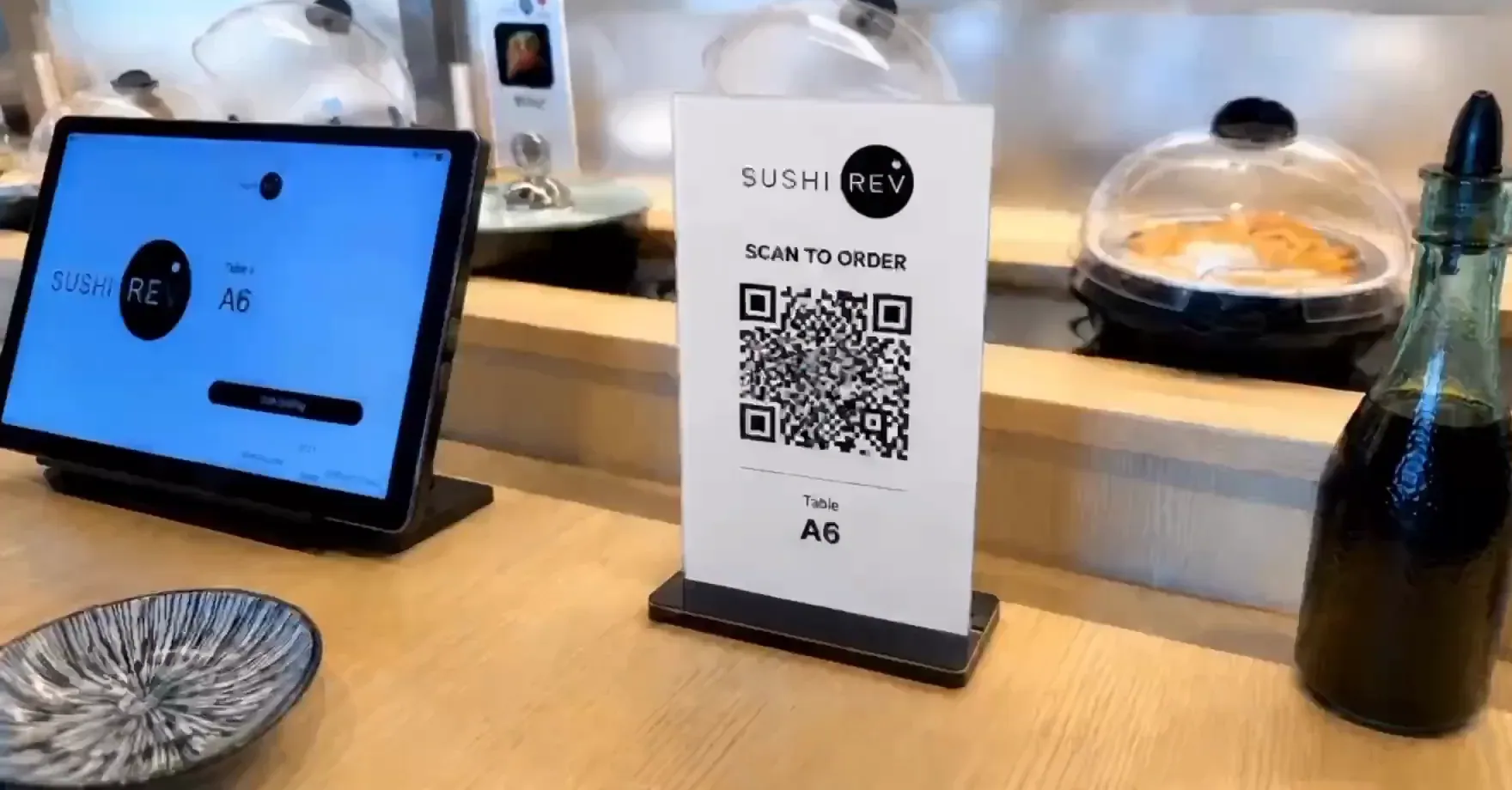
Table QR ordering lets guests scan a printed code, open the menu on their own phone, and send orders to the kitchen.
Table QR ordering lets a guest scan a printed code, open the menu on their own phone, choose items, review the cart, and send the order to the kitchen. Truvana Tech provides card processing and POS for small restaurants and stores, including table QR ordering that lets guests review their cart before they order.
Is QR ordering just a menu, or can guests really order?
A table QR code can do more than open a menu. QR ordering in the restaurant POS Truvana Tech installs lets a customer review the cart before ordering. When a customer presses "Get Check," the Host POS chimes and reminds the server.
Guests send an order to the kitchen
A QR code at the table is the entry point; the order screen is what matters. The table QR ordering flow shows customers their cart so they can review it before the order goes in. A manager should test that screen on a phone before printing codes for every table.
Card, cash and tabs are setup questions
Buyers ask whether they can pay by card or cash and open a tab. Restaurants should get answers in writing.
Membership sign-up by QR code is a different tool
A QR code can also sign guests up for a membership program instead of taking an order. The membership tool lets customers join from the table with a QR code, an NFC tap or a custom sign-up link, with no app download required. For the membership program, see Loyalty programs.
How do guests scan, order and call for service?
Guests scan the code, choose items, review cart and send. When a guest presses Get Check, the host POS chimes. Buyers say QR ordering may be unclear and guests may need help.
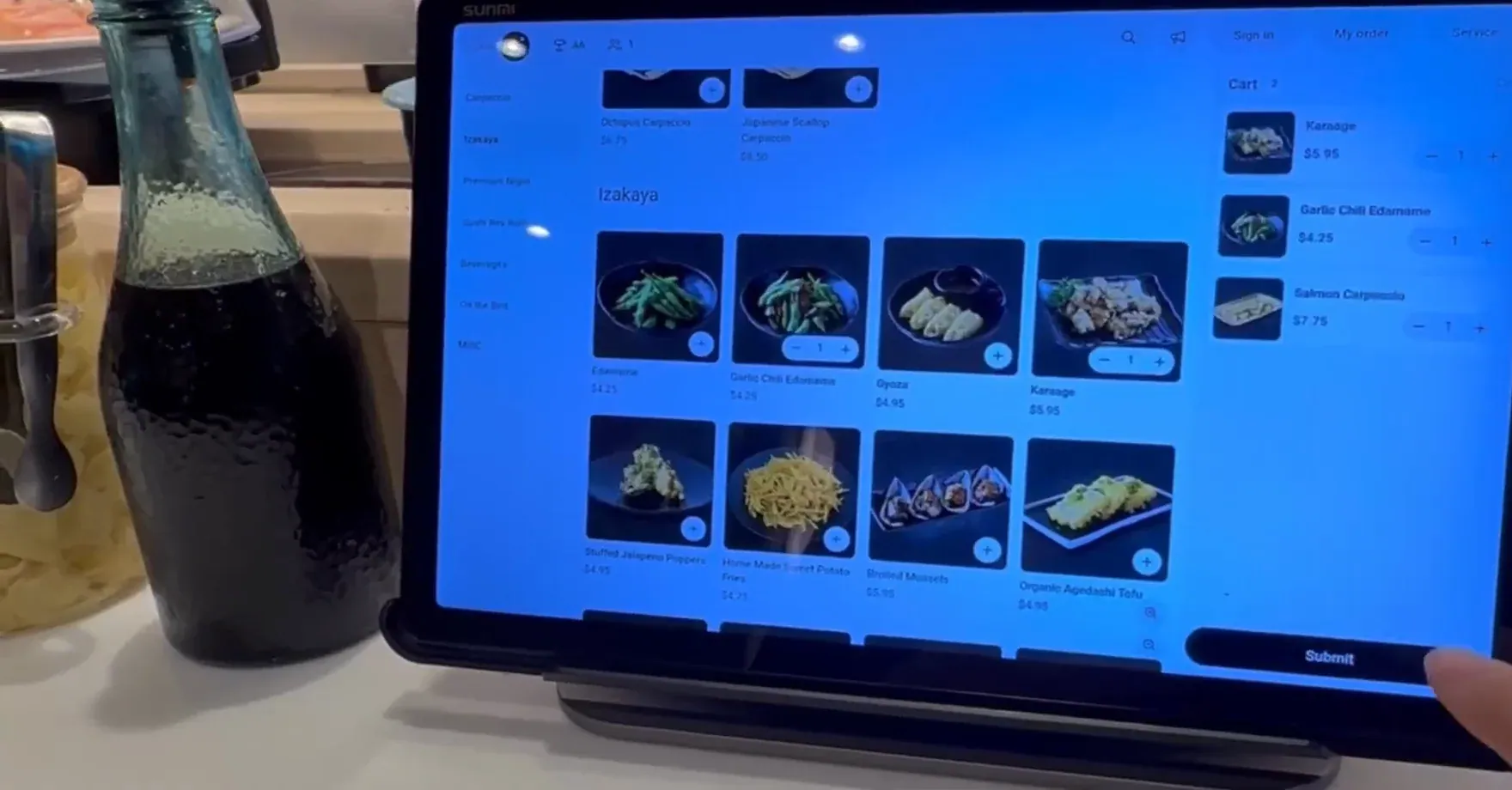
Guests review the cart before sending
Review happens before the order leaves the phone. Truvana Tech updated table QR ordering so customers see their cart first rather than ordering directly. A manager can walk staff through that screen during training.
Get Check brings a server to the table
Service requests travel through the POS. A Get Check press makes the host POS chime and reminds the server that the table wants attention. For the rules, see Tableside ordering.
Plan staff help for a guest who is stuck
Staff coverage for QR guests belongs in the opening plan. Buyers ask whether staff explain the QR ordering process, and some worry that guests will need help to use it. A line on the table card and a staff member watching the floor cover most of that question.
How does QR ordering fit with kiosks, handheld POS and online orders?
QR table ordering sits alongside other channels. Mobile POS from Truvana Tech handles takeout and phone orders on a handheld. A kiosk can take an order and a table number.
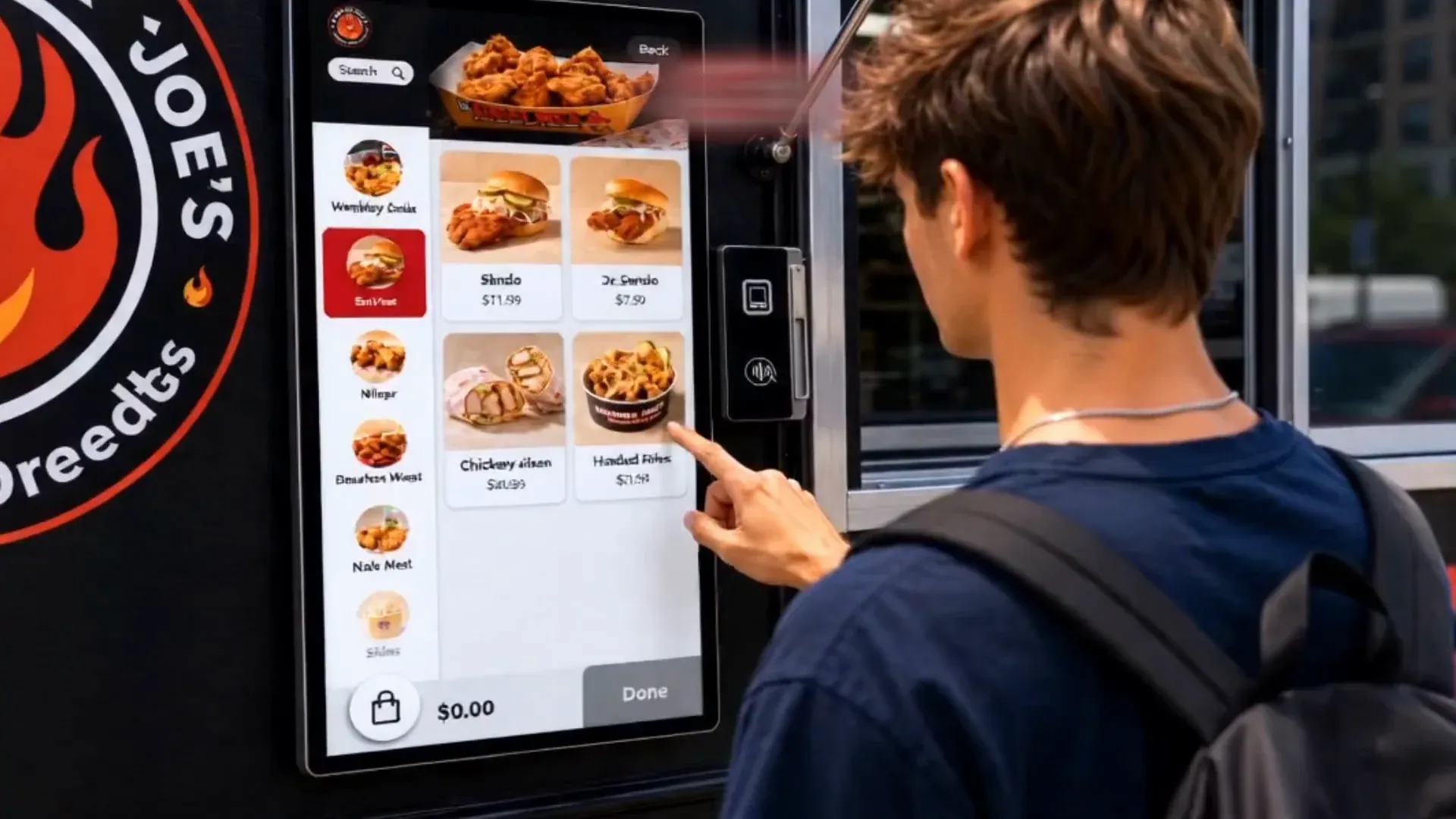
Kiosk orders with a table number
A kiosk order needs a destination. The kiosk lets customers place an order and then enter their table number, so staff deliver food to the right table in quick service restaurants with seating. For the self-order kiosk page, see Self-order kiosks.
Handheld POS for takeout and phone orders
AI phone answering takes same-day pickup orders, reads the order back, and texts the caller a link to confirm and pay, with no payment taken on the call. For the AI phone ordering page, see AI phone ordering. For the online ordering page, see online ordering.
Self-order tablets and their controls
The Self-Ordering Tablet supports tiered menus, a limit on order quantity per round or per session, and a dining time restriction that notifies customers when their time is up. All-you-can-eat menus are where those controls matter.
What does QR ordering change for service and tips?
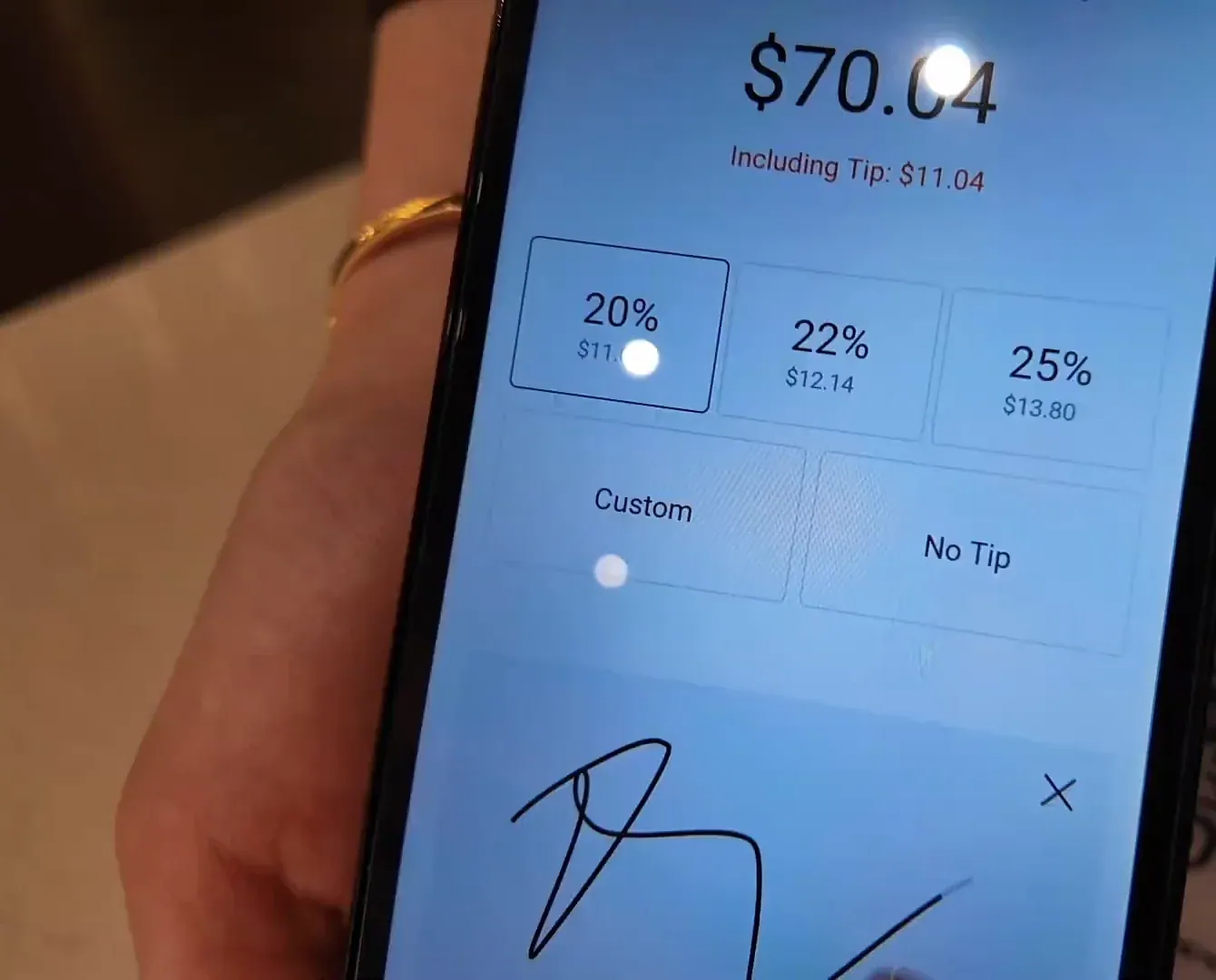
Ordering changes include coursing, which sends items separately by course for meal pacing. Restaurants set tip timing before or after the card run in the Store Portal.
Coursing sets the pace of the meal
Coursing sends items separately according to their course for meal pacing in sit-down restaurants. For kitchen display system details, see kitchen display system.
Holding a check instead of voiding it
Holding an order is a deliberate action on POS and Mobile POS, so staff can hold a check and return to it later instead of relying on unnecessary voids. POS reminds staff first if they try to leave an order with unsaved changes.
Tip timing, table limits and cash tips
Tips follow a setting. Tip timing is set in the Store Portal. QR ordering can limit items and order rounds; cash tip declaration at clock out is mandatory. See cash discount.
What will I really pay for QR ordering, and what happens when something fails?
Truvana Tech's POS time punches keep working when store devices are offline. Ask for all fees in writing.
Ask for each cost line in writing
A written quote for QR ordering should separate the parts of the system. Pricing questions and the card machine page show how those parts are described. Surcharge, cash discount and tip disclosure questions belong at quote time; the DC fee guide, Maryland fee guide and Virginia fee guide cover them as general information, not legal advice.
Test the guest path before a busy night
Buyers in public forums ask whether QR-code table ordering can run on an existing platform or needs apps or custom development, and how staff identify a dine-in order's table.
Outages need their own answer
Time punches keep working on POS even when the store's devices are offline, which says nothing about QR ordering or card payments during an outage. Ask a vendor what guests and staff do when the internet drops, and write the answer down.
Is Truvana Tech right for my business, or should I look elsewhere?
Truvana Tech lets customers join a membership from the table by QR code, NFC tap or custom link, and supports table QR ordering, kiosks and handheld POS. Buyers needing other capabilities should compare vendors, because the fit depends on which channels a restaurant wants to run and what it needs beyond the card machine and the tools beside it.
What Truvana Tech covers
Coverage runs from the card machine to the tools beside it. The reservation and waitlist system lets guests book online with a deposit, and staff open the table on POS with the deposit applied to the check. AI phone answering handles calls and sends a text link to pay. Capabilities lists the rest.
Who this fits
Truvana Tech lets restaurants choose when guests are prompted to tip on card payments. Mobile POS handles takeout and phone orders for table service restaurants, and kiosk orders can carry a table number.
What to settle before you sign
Settling questions in writing protects the opening plan. Ask for setup, training, local contact, accessibility, data ownership, QR tamper protection, outage steps and fees. Service area, frequently asked questions and about page are starting points.
Truvana Tech offers online booking with deposit payment plus reservation and waitlist management. Contact Truvana Tech to request a written quote or a free statement review.
Sources
- DENSO WAVE: QR Code basics
- DENSO WAVE: QR Code standards
- FTC: QR code scam warning
- NIST SP 800-124r1: mobile device security
- PCI SSC: small merchant payment guide
- DOJ: ADA web accessibility guidance
- Visa: U.S. merchant surcharge rules
- Mastercard: U.S. surcharge rules
- DC Attorney General: restaurant fees advisory
- Virginia Code §59.1-608: advertised total price
Frequently Asked Questions
What is QR code ordering and how does it work?
QR code ordering lets customers order through the table QR code, review their cart before they send the order, and press Get Check to make the Host POS chime and remind the server. Restaurants can limit the number of items and the number of times each table can place orders.
Do customers need an app to order from a QR code?
Membership sign-up works from the table with no app download required: customers can join the membership program using a QR code, NFC tap or custom sign-up link. Members can add their card to Apple Wallet and receive location-based reminders when near the restaurant.
Can guests review their order before sending it to the kitchen?
Guests can review their order before it goes to the kitchen on table QR ordering. Truvana Tech updated table QR ordering so customers review their cart first, instead of ordering directly. Whether a guest can change an order after sending it depends on how the restaurant sets it up.
How does the kitchen know when a QR code order comes in?
A QR code order alerts staff when a guest presses Get Check. When a guest presses Get Check, the host POS chimes and reminds the server. Ask during setup how an order appears on the kitchen side and test it before a busy service.
Can QR code ordering work alongside kiosks and handheld POS?
QR code ordering is one channel a restaurant can consider next to handheld POS and kiosk ordering. Mobile POS handles takeout and phone orders on the handheld, and kiosk orders can include a table number. A restaurant decides which channels to turn on and tests each one.
Does QR code ordering replace the server?
QR code ordering still involves staff help when a guest needs it. Get Check alerts the host POS and reminds the server, and buyers in public forums ask whether staff explain the process. Restaurants still plan floor coverage and training so guests who need help get it.